

The PDF
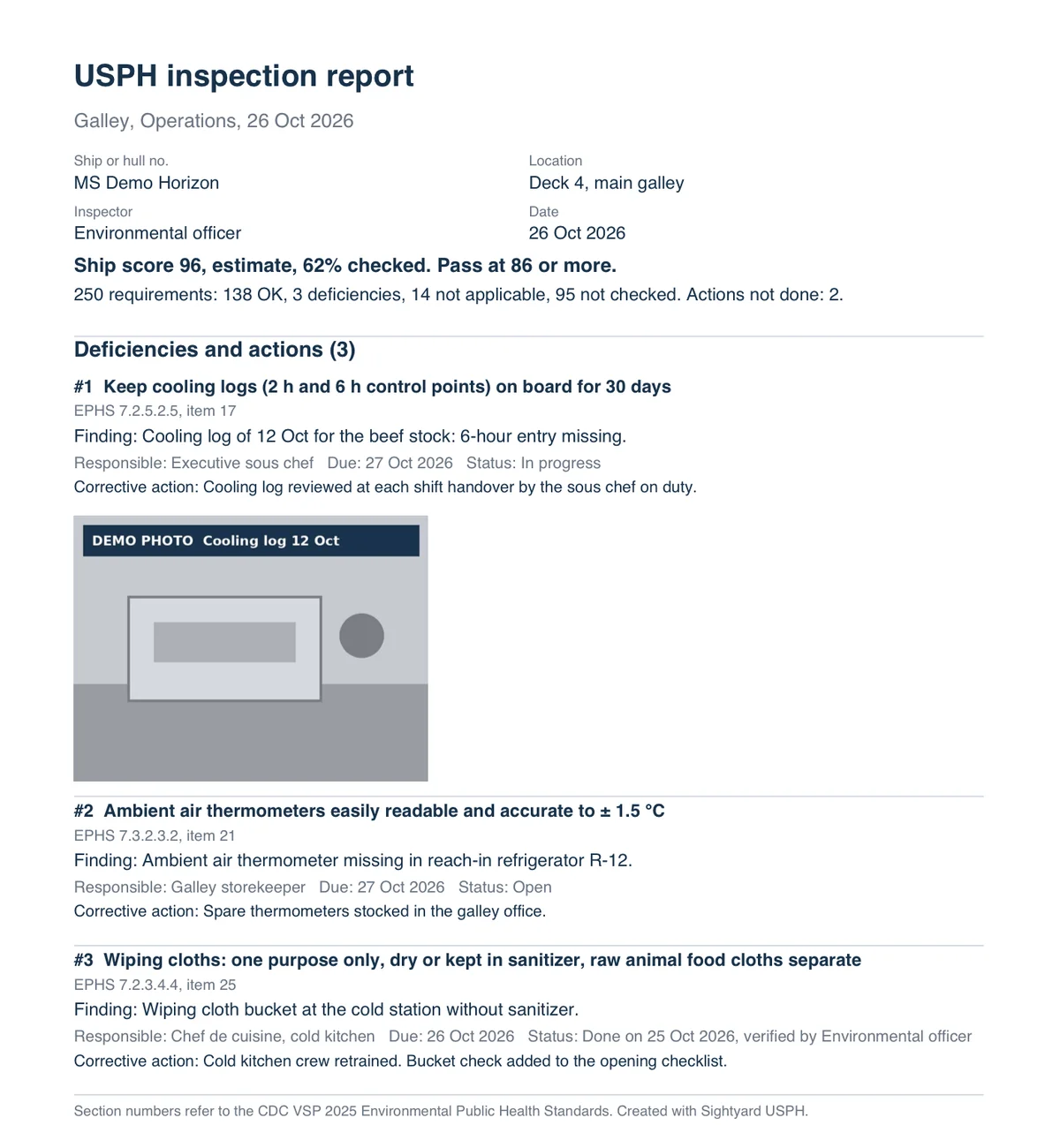
What the report holds
- Inspection details: ship or hull number, location, inspector and date.
- For a ship in operation: a ship score estimate with the share of requirements checked.
- Counts: OK, deficiencies, not applicable and not checked.
- Each deficiency with its requirement, EPHS section and inspection item, the finding, responsible, due date, status and the corrective action. A photo can be attached.
| # | Requirement | Finding | Status |
|---|---|---|---|
| 1 | EPHS 7.2.5.2.5, item 17 | Cooling log of 12 Oct for the beef stock: 6-hour entry missing | In progress |
| 2 | EPHS 7.3.2.3.2, item 21 | Ambient air thermometer missing in reach-in refrigerator R-12 | Open |
| 3 | EPHS 7.2.3.4.4, item 25 | Wiping cloth bucket at the cold station without sanitizer | Done |
How the score estimate comes about
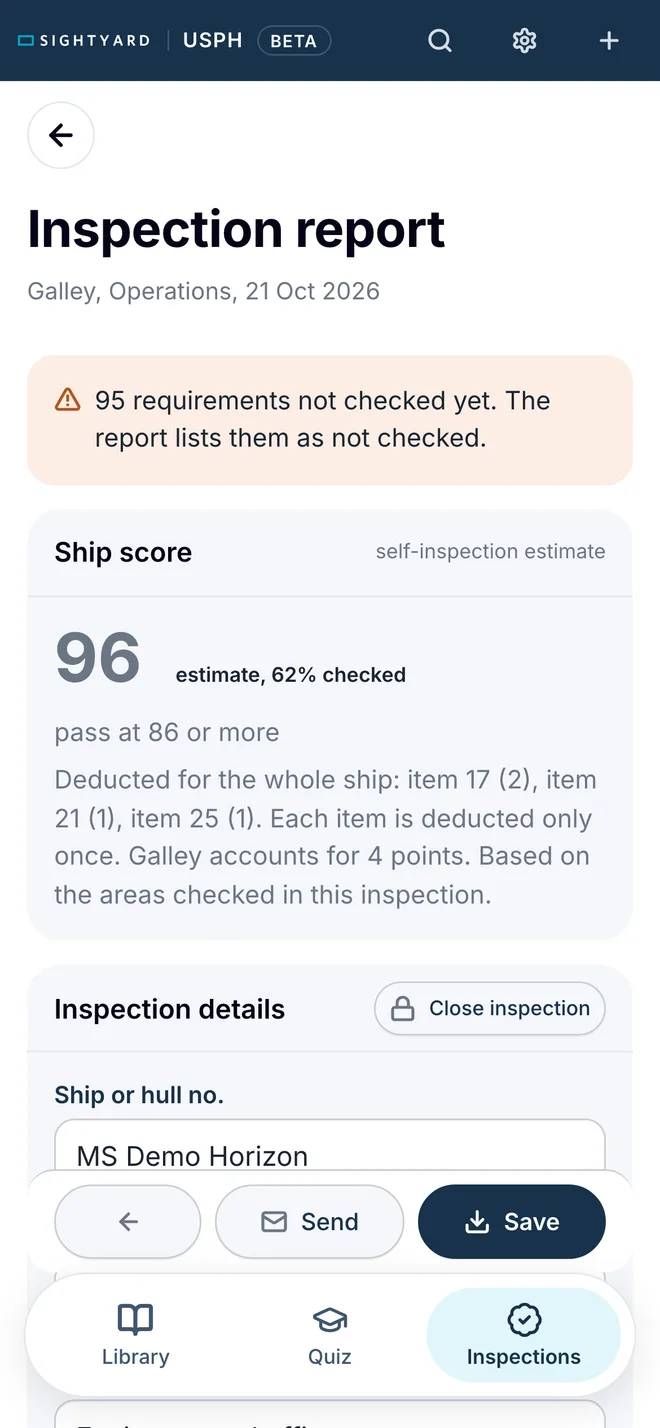
The three findings fall under items 17 (2 points), 21 (1 point) and 25 (1 point). The app deducts these points from 100, so the estimate is 96. It counts each cited item once, as VSP does. A score of 86 or more passes (EPHS 13.18.1).
In the public VSP reports only 15% of the cited items cost points. An estimate that deducts every cited item is on the cautious side.
The report marks the score as an estimate, because only 62% of the galley requirements were checked. How the VSP score works.
A self-inspection score is an estimate. Only VSP scores the ship.
Make your own
- 1 Open usph.sightyard.com and sign in with your work email. The account is free.
- 2 Tap New inspection, choose Ship in operation and the area.
- 3 Mark each requirement OK, Deficiency or N/A and write the finding.
- 4 Tap Create report, then Send to share the PDF by mail, Teams or WhatsApp.